
Your cart is empty
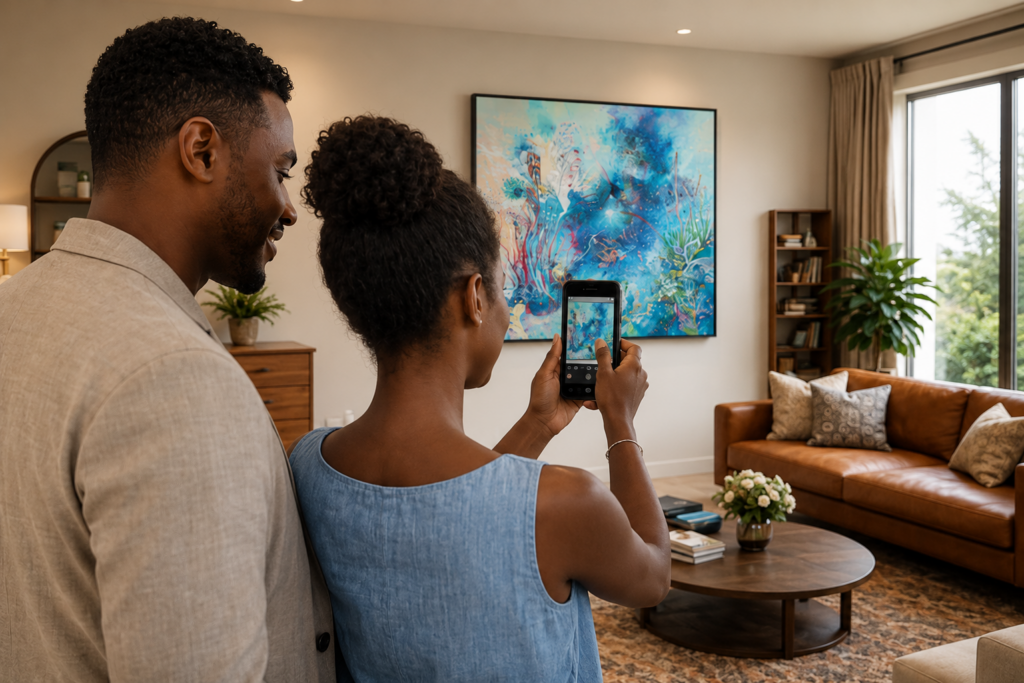
Visualize artwork on your own walls with MawuARtview — instantly with Live View, or naturally in your space with augmented reality.
OVERVIEW
MawuARtview is a mobile app designed to answer one simple question:
What would this artwork look like in my space?
Import an artwork and choose how you want to experience it.
With Live View, use your camera to position artwork in your space instantly, resize it, move it, and experiment with different frames.
With AR View, go further. Place artwork naturally on a wall using augmented reality, then move around your room while the artwork remains anchored in place.
No complicated setup. No unnecessary steps.
Just the artwork, your space, and a better way to see them together.
TWO WAYS TO EXPERIENCE ART
LIVE VIEW — FREE & UNLIMITED
See artwork in your space instantly using your camera.
Import an artwork, position it on your wall, resize and reposition it, and experiment with different frame options.
Simple. Immediate. Free.
AR VIEW
Place artwork naturally on your wall using spatial augmented reality.
Once placed, the artwork remains anchored as you move around the room, allowing you to experience it from different positions and angles.
Resize it with a simple control until it feels right in your space.
Try AR View free for 5 experiences.
Unlimited AR View can then be unlocked with a one-time purchase for lifetime access.
WHO IS IT FOR?
🎨 Artists who want to see and present their work in real spaces
🖼️ Galleries looking for another way to help collectors experience artwork in context
🛍️ Collectors who want greater confidence before choosing a piece
🏠 Interior designers exploring how artwork interacts with a space
❤️ Art lovers wondering how a piece could look on their own wall
FEATURES
✔️ Free and Unlimited Live View
✔️ Spatial wall placement with AR View
✔️ Artwork remains anchored as you move around your space
✔️ Simple artwork resizing and repositioning
✔️ Import your own artwork images
✔️ Frame options in Live View
✔️ Capture and save your visualization
✔️ 5 free AR View experiences
✔️ One-time AR View unlock with lifetime access
✔️ Clean, focused interface designed around art
✔️ Available on iOS and Android
HOW IT WORKS
Choose an artwork.
See it in your space.
With Live View, position and adjust it instantly through your camera.
Or choose AR View, find your wall, tap to place the artwork, and walk around your room while it stays in place.
Simple. That’s the point.
FREQUENTLY ASKED QUESTIONS
IS MAWUARtview AUGMENTED REALITY (AR)?
Yes — AR View uses augmented reality to place artwork spatially on your wall.
Once the artwork is placed, it remains anchored as you move around the room, allowing you to view it from different positions and angles.
MawuARtview also includes Live View, a simpler camera-based experience that does not require spatial AR.
WHAT IS THE DIFFERENCE BETWEEN LIVE VIEW AND AR VIEW?
Live View provides an immediate camera-based visualization. You can position artwork in your environment, resize and move it, and experiment with frame options.
AR View uses spatial augmented reality. The artwork is anchored to your wall, so you can physically move around your room and experience it from different perspectives.
IS MAWUARtview FREE?
Live View is free and unlimited.
AR View includes 5 free experiences, so you can try the spatial AR experience before deciding whether you want unlimited access.
After the 5 free experiences, AR View can be unlocked with a one-time purchase for lifetime access.
No subscription is required.
WHAT DEVICES ARE SUPPORTED?
MawuARtview is available for iOS and Android.
Live View works on compatible modern smartphones.
AR View requires a device that supports the augmented-reality technology needed for spatial wall placement.
If AR View is not supported by your device, you can still use Live View for free.
DO I NEED ANY SPECIAL EQUIPMENT?
No.
All you need is a compatible smartphone and an image of the artwork you want to visualize.
DO I NEED TO CREATE AN ACCOUNT?
No.
No account or login is required to use MawuARtview.
CAN I USE MY OWN ARTWORK?
Absolutely.
Import an image of your artwork and visualize it in your space using Live View or AR View.
This makes MawuARtview useful not only for collectors and art lovers, but also for artists, galleries and interior designers presenting artwork in context.
DOES MAWUARtview SHOW THE EXACT PHYSICAL SIZE OF AN ARTWORK?
MawuARtview allows you to resize artwork visually within your space, helping you explore its presence and proportion on a wall.
Because an image file alone does not contain the artwork’s real-world physical dimensions, the visualization should be used as a placement aid rather than an exact measurement tool.
DOES THE APP MODIFY THE ARTWORK?
No.
MawuARtview uses the artwork image for visualization purposes. It does not modify the original artwork file.
CAN I SAVE MY VISUALIZATION?
Yes.
You can capture your visualization and save it to your device.
ART BELONGS IN A SPACE.
Sometimes you love an artwork immediately.
The harder question is imagining what happens when it leaves the screen and enters your world.
MawuARtview was built to make that part easier.
See art in your space. Before you decide.
💬 Help Improve This Tool
We’re building tools for artists, with artists.
If you have feedback, feature requests, ideas, or something you’d love to see next — we read every message.